
Using Microsoft To Do as Your Task Hub

Demystify task management in Microsoft 365. This guide explains how Microsoft To Do acts as your central hub, pulling together tasks from Outlook, Planner, and more to keep you organised.

Building Computer Skills to Enable Success
Building Computer Skills to Enable Success
Boost your productivity with Microsoft 365. Get access to essential tools like Word, Excel, PowerPoint, Outlook, and more, all in one comprehensive suite. Whether you’re creating documents, analysing data, managing emails, or collaborating with colleagues, Microsoft 365 provides a powerful platform for seamless productivity and teamwork. Explore the benefits of Microsoft 365 and streamline your work processes.
Demystify task management in Microsoft 365. This guide explains how Microsoft To Do acts as your central hub, pulling together tasks from Outlook, Planner, and more to keep you organised.
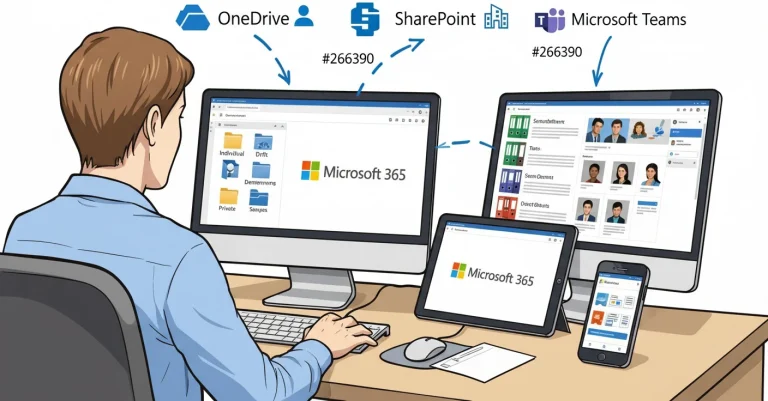
Do you often pause, unsure where to save files in Microsoft 365? This common dilemma affects everyone. Our guide clarifies the specific roles of OneDrive, SharePoint, and Teams to help you make confident storage decisions every time.

Learn to effectively use OneDrive as your personal file space within Microsoft 365. Avoid common frustrations and take advantage of its power for drafts, work in progress, and individual reference materials.

Discover OneNote's powerful 'Link to Pages' feature to easily turn lists into perfectly organised note pages. Save time and boost productivity by automating page creation for your meetings and projects.
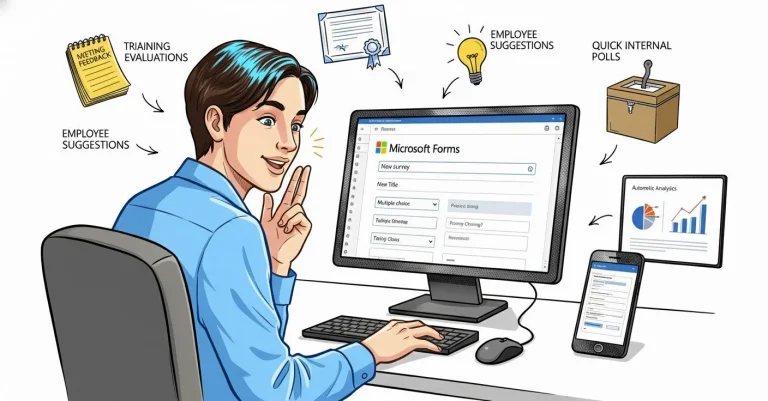
Many Microsoft 365 users don't realise they already have Microsoft Forms! Check out this powerful, free tool for simple data collection, surveys, and feedback. Learn how to get started and streamline your information gathering.

Discover how SmartArt can transform your presentations and documents. Learn to create professional, consistent diagrams in PowerPoint and Word with just a few clicks.

Ever wonder where to save your files in Microsoft 365? This article demystifies OneDrive, Teams, and SharePoint, explaining each platform's purpose for stress-free file storage and collaboration.

Curious about Microsoft Loop? Learn how this new Microsoft 365 tool acts as a flexible, collaborative digital workspace, helping teams stay organised and work together in real time.

Struggling with endless document drafts? Check out how Microsoft 365's Version History simplifies edits, keeps your files organized, and saves time!

Collaborate in real-time with Microsoft 365's Co-Authoring! Edit documents online with your team, track changes, and never miss a beat.